Keep your important links together
Add up to 20 links for your videos, guides, shop, newsletter, or booking page, then arrange them in the order you want visitors to see.
Link in Bio
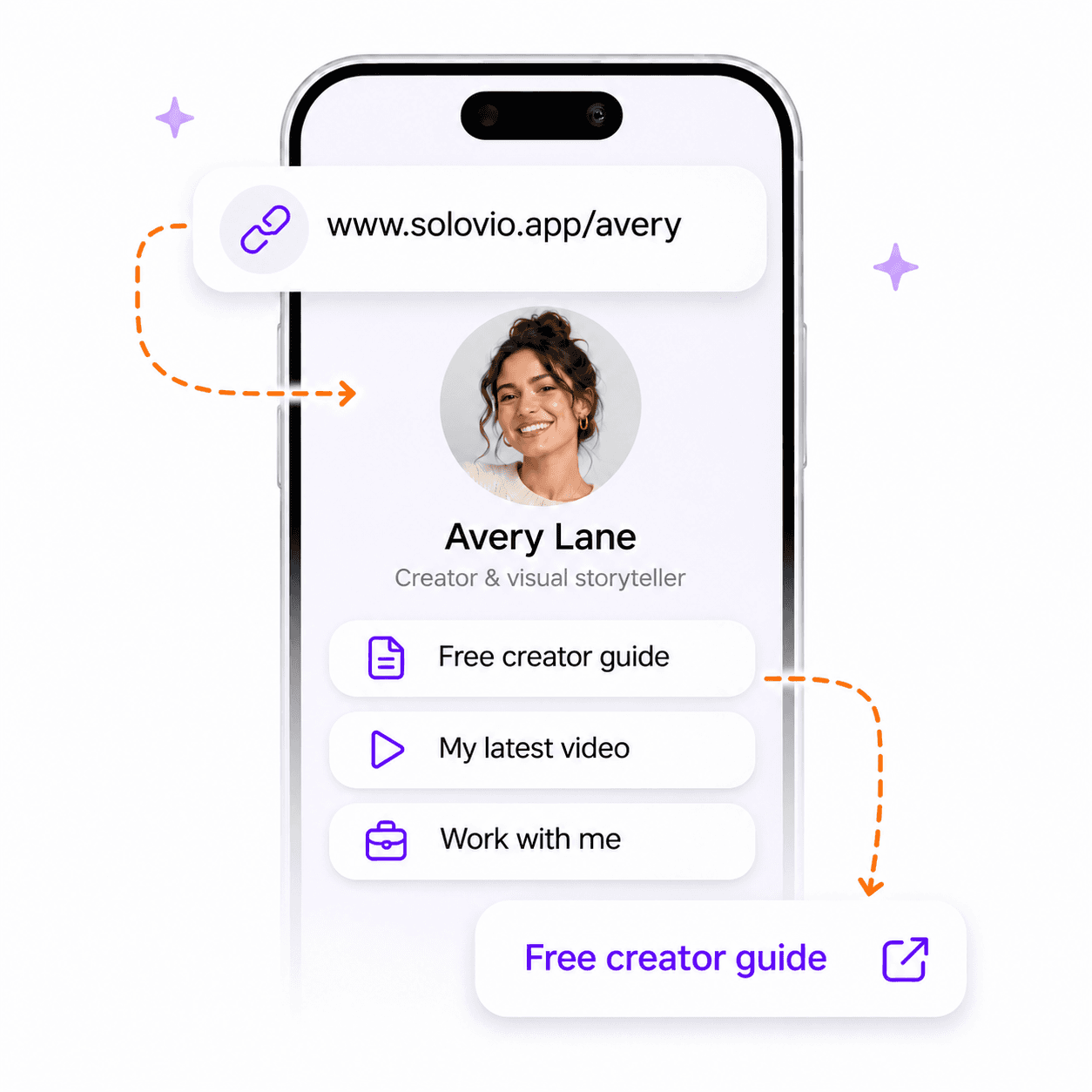
Give your audience one place to find your latest content, free resources, products, and ways to work with you. Create a page at www.solovio.app/your-username and put it in your social media bio.
Why it helps
Your bio has room for one link. Use it to bring your content, resources, and offers together on a page you can keep up to date.
Add up to 20 links for your videos, guides, shop, newsletter, or booking page, then arrange them in the order you want visitors to see.
Add a name and bio, use your connected Instagram photo or upload another one, and choose a template with the background and link style you prefer.
Preview changes as you edit, save a private draft, and publish when you are ready to update the page your audience sees.
How it works
Reserve your address, add the links you want to share, and check how your page looks on a phone before publishing your changes.
Choose an available username during onboarding or from Link in Bio in Studio. Your starter page goes live as soon as the username is saved.
Introduce yourself with a photo, display name, and bio. Add the destinations you want to share and put them in order.
Pick Classic, Linen, Spotlight, Sunrise, or Editorial. Check the mobile preview and publish your changes, or save a private draft for later.
Copy your page URL into your Instagram, TikTok, YouTube, or other social profile. Keep your links updated from Studio.
Use cases
Bring together your latest video, podcast, blog posts, and downloadable guides so visitors can find what you create.
Link to your shop, digital products, affiliate offers, and recommended tools from one place.
Share your booking page, portfolio, newsletter signup, or contact page with people who want to work with you.
FAQs
A Link in Bio page brings several links together behind one URL. Add that URL to your social media bio so visitors can choose the content, resource, or offer they want.
No. You can create and manage a Link in Bio page without an Instagram connection. If Instagram is linked and has a saved profile photo, Solovio uses it by default; you can also upload your own photo.
A starter page goes live when you save your username. Publish later edits in one click, or save a private draft for later. You can also unpublish your page from Studio.
Yes. Choose from five templates, customize the background and link style, and edit your photo, display name, bio, and link order. The mobile preview updates as you edit.
Your username stays fixed once reserved. Choose the address you want to keep sharing before saving it.
Creator toolkit
Create your own bio page and keep your latest content, resources, and offers easy to find.